How to create my personal password?
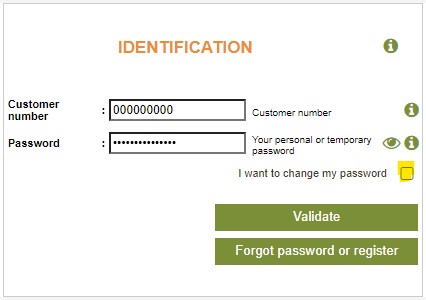
To create your password you will need to provide your customer number. You will find it at the top left of your order form received by mail. It is made up of 9 digits and was assigned to you when you placed your first order with Yves Rocher.
Here are the steps to create your password:
Step 1: Enter your customer number and click on “Forgotten password / register”

Step 2 : Check that this is your email address. For security reasons, the latter is partially hidden with special characters (*). If this is your email address, click on validate.
If the email address is incorrect, we invite you to contact customer service at 1-800-361-2746

An email with your temporary password will be sent to your inbox. This password is valid for 24 hours.

If you do not see this email in your inbox, check your SPAM/junk mail box.
Step 3: Enter your temporary password received by email, then define your new personal password. It must be composed of at least 8 characters: numbers, letters, lowercase, uppercase, special characters.
Confirm your new password a second time.

You can now use this password every time you log in.
You can also change your password at any time by clicking “Forgot your password” when logging in.